


Custom Team Uniform Reorders: Keep Every Player in Sync

.
A reorder can look simple until one missing size, changed number, or slightly different garment creates a mismatch on game day. The safest approach is to treat it as a record-checking exercise, not a fresh uniform project: start with what the team already approved, then verify what has changed.
Successful custom team uniform reorders depend on confirming the original design, garment, colors, decoration, roster, sizes, quantities, and need date before production begins. A clear record gives coaches and team managers one reliable reference for new players, replacements, exchanges, or late additions.
You do not necessarily need to redesign the uniform. You do need to separate the details that should stay exactly the same from the details that need updating for this order. That distinction makes the next step more manageable: reviewing the prior order and confirming every item that affects fit, appearance, personalization, and timing.
How Should Coaches Plan Custom Team Uniform Reorders?
Before placing custom team uniform reorders, gather the original design reference, sport and product details, garment style, colors, decoration, current quantities, size breakdown, and date needed. A complete checklist helps the supplier match the existing team look while accounting for new players, replacements, and roster changes.
Reorder detail | What to verify |
Original reference. | Prior order, proof, design file, or sample. |
Team specifications. | Sport, garment, style, colors, and decoration. |
Current changes. | Roster, sizes, names, numbers, and quantities. |
Delivery plan. | Date needed in hand and approval owner. |
Start with the original order, saved artwork, proof, or another reliable design reference. Confirm the sport and exact product being reordered, then note the garment style and colors. A jersey, short, pant, warm-up, or accessory may have different specifications. So avoid relying on a general description such as "last season's uniform." Uniforms Express recommends maintaining the existing sport, product, design, and customization details when planning a reorder. Learn more about uniform ordering guidance if you need to reconstruct those details.
Next, write down every decoration or personalization requirement. Include logo or artwork placement, print locations, embroidery, player names, numbers, patches, and any other individual customization. This is especially important when adding only a few athletes or replacing damaged items. A reorder checklist should make clear what stays identical and what, if anything, changes.
- Original reference:
Share the prior order number, design file, proof, sample, or clear photos.
- Sport and product:
Identify the sport, garment type, style, and requested color combination.
- Decoration:
List artwork, logos, print locations, names, numbers, and personalization.
- Quantity and sizes:
Separate totals by item and provide the current player-by-player size breakdown.
- Date needed:
State when the uniforms must be in hand, not merely the first practice or tournament date.
Finally, check the roster against the order. Coaches and team managers often coordinate rosters, sizes, replacements, and team consistency at the same time. Volunteer coordinators may also collect choices from multiple families.
Confirm who is new, who needs a replacement, and whether anyone changed sizes. Uniforms Express lists size-chart help, quantity recommendations, timeline planning, and replacement coordination among its support services. Ask for guidance when an order detail is uncertain. Clear information gives the reorder a better chance of matching the original without turning a fill-in order into an unnecessary redesign.
How Do You Keep Roster, Sizing, and Personalization Accurate?
Start with the current roster, then verify each athlete's garment sizes, name, number, and customization before submitting the reorder. A single shared record helps coaches catch new players, exchanges, and corrections before production. Keep the prior uniform details attached to that record so additions match the team's existing sport, product, design, and decoration.
Roster accuracy is the foundation of dependable custom team uniform reorders. Begin with one current list rather than separate messages from coaches, parents, and athletes. For each player, record the name exactly as it should appear, the assigned or requested number, the garment or equipment needed, the size, and any individual decoration. Mark whether the item is a new-player addition, replacement, exchange, or routine reorder.
That distinction matters. A growing athlete may need an exchange, while a new player may need a complete uniform. A lost or damaged item may require only one replacement. Uniforms Express describes team-management tools that support player rosters, size records, individual customization, bulk ordering, and fill-in orders, which can help keep those cases organized in one workflow rather than scattered across follow-up messages.
Collect sizes by item, not by assumption
Do not treat one size as a universal answer for every piece. A university athletics size sheet, for example, separates fields for shirts, compression shirts, shorts, sweatshirts, sweatpants, and shoes.
Sport-specific examples also distinguish baseball pants and jersey sizes, basketball jerseys and shorts, and football equipment such as gloves, helmets, and shoulder pads. These are useful examples of the detail a roster record may need, not requirements for every team.
Give athletes or families the correct size information for the actual garment, and note any fit concern that could affect mobility or comfort. If a player is between sizes, confirm the product's size chart and available guidance instead of guessing. Uniforms Express lists size-chart help and replacement coordination among its support services, so ask for help when the product or fit situation is unclear.
Run a final personalization check
Before approval, read every name and number back against the roster. Check duplicate numbers, spelling, accents, position-specific requirements, and whether the requested decoration belongs on the selected garment. Compare the final quantity by size with the player list, then have a second person review it. This simple two-person check is especially valuable for volunteer-led leagues and programs managing several sports, approvals, and deadlines.
Save the verified record with the original order reference. When another player joins or an item needs replacing, update only the affected line while preserving the established uniform specifications. That keeps the reorder focused on the roster change instead of creating avoidable uncertainty about the team's identity.
How Can Teams Match the Original Uniform Design?
To match an original uniform, preserve the existing garment, cut, fabric, colors, logo placement, lettering, numbers, and decoration method rather than treating the reorder as a redesign. Compare those details with the saved order or design proof, then confirm the current roster, quantities, and sizes before approving production.
Start with the record from the original order. Identify the sport and exact garment, including the style, cut, fabric, color combination, and any differences between home, away, practice, or travel pieces. A reorder can look wrong even when the artwork is correct if the replacement uses a different garment shape or material. Uniforms Express recommends maintaining the existing sport, product, design, and customization details when planning a reorder.
Next, compare the visual details one by one. Check the logo artwork, its size and position, the lettering style, player-number treatment, and every decoration location.
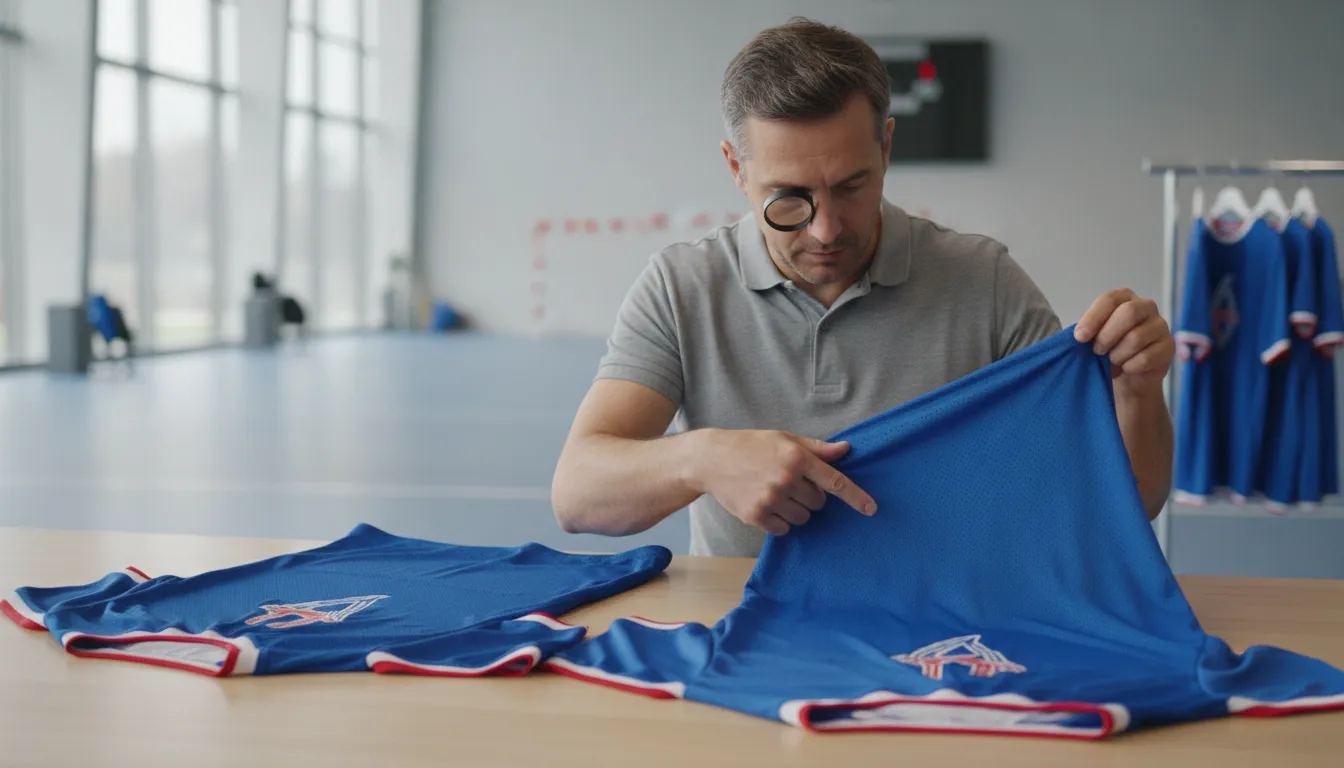
Note whether the original used screen printing, embroidery, sublimation, heat-applied decoration, or another method. The method matters because the same artwork can appear different when applied to a new surface or with a different process. Also confirm trim, piping, panel colors, and any contrast details that may be easy to miss in a small image.
Use a proof before approving the reorder
A saved design is a useful starting point, but it should be compared with a clear reference from the original order. Gather the prior order confirmation, design file, product name, photos, and any approved proof. If the team no longer has a complete record, send the clearest available sample and describe what must remain unchanged. For a new garment or uncertain fit, request a sample or proof review before committing the larger order. Check fit, material, color, and print placement together, not in isolation.
The online uniform design tool can help teams save or compare design options when a decision-maker needs to review the details. Keep the selected version alongside the reorder notes, and record any approved change separately so an intentional update is not mistaken for an original specification.
For repeat orders, the Uniforms Express virtual help and customer portal can provide another review point. The portal supports saved designs, sharing, feedback, and order history, which makes it easier to compare the proposed reorder against the team's established look. Before approval, have one person verify the garment and decoration details, while another checks names, numbers, sizes, and quantities. This two-person check protects consistency without forcing the team to start the design process over.
What Is the Best Way to Manage Timing and Approvals?
Manage timing by working backward from the date the uniforms must be in hand. Start with the event or first practice, then allow time for roster and size collection, design and decoration confirmation, proof review, production, and shipping. Keep one person responsible for approvals, track open decisions, and confirm the schedule for the specific products and quantities before production begins.
Begin with the need date, not the date you hope to place the order. A tournament, opening game, school photo day, or new-player start date gives the team a firm endpoint.
From there, identify the latest date for each decision. Roster collection may take longer when families are involved. An athletic department may also need purchase orders or multiple approvals. Building those steps into the plan prevents a complete order from sitting idle while one detail is unresolved.
Build a simple approval sequence
Use a written checklist or shared record with one status for each stage:
Confirm the roster and sizes.
Verify design and decoration.
Collect one consolidated proof approval.
Monitor production and shipping.
- Roster and sizes:
Confirm player names, numbers, quantities, and size information. Coaches and team managers often need to coordinate rosters, sizes, replacements, and team consistency without constant follow-up.
- Design and decoration:
Verify the existing sport, garment, colors, artwork, names, numbers, and decoration locations. A reorder generally should preserve the established look rather than trigger an unnecessary redesign.
- Proof review:
Send the proof to the people who must approve it, set a response deadline, and ask for one consolidated list of corrections. Avoid treating silence as approval.
- Production and shipping:
Once the details are confirmed, monitor the order through production and delivery. The Uniforms Express customer portal includes production-status updates, estimated completion dates, and shipping notifications.
For athletic directors managing several teams, separate approval records by team or sport while keeping the same need date visible. For a youth league, give families a clear cutoff for size and personalization changes. A late roster change should be recorded as a new decision, not quietly added to an already approved list.
When the date is tight, ask about options before promising a rush solution. Emergency replacements or rush orders may be possible for some products, but availability depends on the product, decoration, quantity, production capacity, and confirmation of the final details. Use the team uniform ordering timeline as a planning reference, then confirm the actual schedule for the reorder.
If a deadline, approval path, or replacement need is unusual, Uniforms Express virtual help can provide a practical place to begin. Have the original order reference, current roster, size breakdown, personalization details, quantity, and date needed in hand ready so the team can receive a more useful timeline review.
When Should a Team Use a Fill-In Order Instead of Replacing a Full Set?
A fill-in order is usually the better choice when only a few athletes need uniforms and the existing team design still works. Use it for a new player, a lost or damaged item, or a size exchange. Consider a full replacement only when the program is changing its product, design, decoration, or teamwide standards.
Uniforms Express identifies additional uniforms as a common need after the initial order. A roster may grow when a new player joins, or an existing item may be lost or damaged. In either case, replacing the full set creates unnecessary work if the rest of the team is still outfitted and the current uniform remains appropriate. A fill-in order keeps the response focused on the affected athlete or garment.
Use a fill-in order for individual changes
New players are the clearest example. Confirm the athlete's size, product, decoration, name, number, and any other customization, then compare those details with the original order. The same approach applies when a player needs a replacement after damage or loss. Keeping the sport, product, design, and customization details aligned helps the new item look like part of the same team set.
Size exchanges also call for an individual solution when the uniform style has not changed. A growing athlete may need a different size while every other player remains correctly outfitted. Record the exchange carefully and verify whether the replacement includes the same garment and decoration. For sport-specific items, a product page such as custom baseball pants for teams can be a useful example of how a single product may need to match an existing order.
Know when the issue is program-wide
A full replacement or redesign deserves consideration when the whole program is moving to a different garment, color scheme, decoration method, fit, or identity. It may also make sense when repeated individual fill-ins expose a broader consistency problem across teams or seasons. That is a program decision, not simply a response to one missing uniform.
When the scope is unclear, gather the current roster, affected quantities, and original order details before deciding. Uniforms Express describes support for rosters, size records, individual customization, bulk ordering, and fill-in orders, along with replacement coordination and timeline planning. These tools can help a coach or program manager separate a small corrective order from a genuine teamwide change.
How Do You Make Future Team Uniform Reorders Easier?
Keep a durable reorder record with the original design, garment details, decoration, roster, sizes, approvals, and delivery information. Then update only what has changed. Order history, saved designs, production updates, and support tools can help you add players or replace items without rebuilding the order from memory.
Start by treating the completed order as a reference file, not just a past transaction. Save the sport, garment style, fabric or fit details, colors, artwork, logo placement, decoration method, names, numbers, and any approved proof.
Record the original order date, who approved it, and the date the uniforms were needed. Uniforms Express recommends maintaining the existing sport, product, design, and customization details when planning a reorder. Uniforms 101 provides additional ordering guidance.
Keep a current team record beside that design reference. Update the roster as players join, leave, or change numbers. For each item, record the athlete's name, size, quantity, and personalization. Note whether the request is a new-player addition, a replacement for a lost or damaged item, a size exchange, or a broader team update. This makes a fill-in order easier to review and reduces the chance that an old roster or outdated size list is reused.
Use the record to create a repeatable approval path
Before submitting, compare the new request with the original record line by line. Confirm that the garment and color still match, the decoration locations are unchanged, and every name and number is spelled correctly. If the team wants a change, separate that change from the unchanged specifications so the decision-maker can approve it clearly. Keeping the approved version in one place is especially useful for athletic directors managing several sports, purchase orders, and season deadlines.
The Uniforms Express customer portal provides order history and a simplified reorder process. Its tools can also save designs, compare options, share them with decision-makers, and gather team feedback. Production-status updates, estimated completion dates, and shipping notifications give managers a clearer place to monitor the request after approval.
For training gear that needs its own documented choice, review custom practice jersey options separately rather than mixing those specifications into a game-uniform reorder. When a record is incomplete, support can help with size charts, quantity recommendations, timeline planning, and replacement coordination. Confirm the current product details and timing for the specific order before production.
FAQs: Custom Team Uniform Reorders
Custom team uniform reorders are easier when the original design, current roster, sizes, personalization, quantities, and date needed are recorded together. These answers cover the practical checks that help teams add players, replace items, and keep every uniform consistent.
What information should I have ready for a team uniform reorder?
Gather the prior order or design reference, sport, garment style, colors, decoration locations, current roster, sizes, names, numbers, quantities, and date needed. Confirm whether the order is for new players, replacements, or a broader program update before requesting production details.
Can I reorder uniforms without redesigning the whole set?
Usually, a reorder starts by matching the existing sport, product, design, and customization details rather than creating something new. Share the original reference and ask the supplier to confirm the garment, color, fit, decoration, and available personalization options before approval.
How do I reduce sizing and personalization mistakes?
Use one current roster as the source of truth, then verify each player's size, name spelling, number, and requested quantity with the coach or team manager. Keep player records separate from the general quantity total, and have an authorized reviewer approve the final list.
When should I place a fill-in order?
A fill-in order is practical when a team needs only a few additional items, such as uniforms for new players or replacements for lost, damaged, or outgrown pieces. Uniforms Express describes team-management tools that support rosters, size records, individual customization, bulk ordering, and fill-in orders: customer portal tools.
How can I check reorder timing without relying on a guess?
Work backward from the date uniforms must be in hand, allowing time for roster confirmation, artwork or proof approval, production, shipping, and any corrections. Ask about the specific product and order status. The Uniforms Express portal can provide production updates, estimated completion dates, and shipping notifications: check order history and status.
Get Started With Your Team Uniform Reorder
A clear reorder record can help your team confirm the right products, roster updates, sizes, personalization, quantity, and date needed before anything is finalized. To get help preparing your custom team uniform reorder, call Uniforms Express at 888-661-7044 and share those details, along with the prior design or order reference. The team can help you identify the next step for your program.


Comments